NEW: USD Payouts into Zenith Bank Accounts
You can now have your USD payouts settled into Zenith Bank accounts, in addition to GTB accounts.

In 2018, we announced USD settlements, which enable Paystack merchants to list their goods in USD, and get paid and settled in USD. Today, we're excited to announce Zenith Bank as a new addition to the bank options for USD settlements.

How to get USD settled into your Zenith Bank accounts
Firstly, you'll need a Zenith Bank domiciliary account to be able to get settled in USD. (If you don’t have one, this short guide from Zenith Bank explains how to get started.)
If this is the first time you’re adding a USD settlement bank account to your business on Paystack, follow these steps:
1. Log into your Paystack Dashboard
2. Click on Settings
3. Click on the Bank Accounts tab
4. If your business doesn't yet have international payment enabled, you'll need to request for international payment to be enabled.
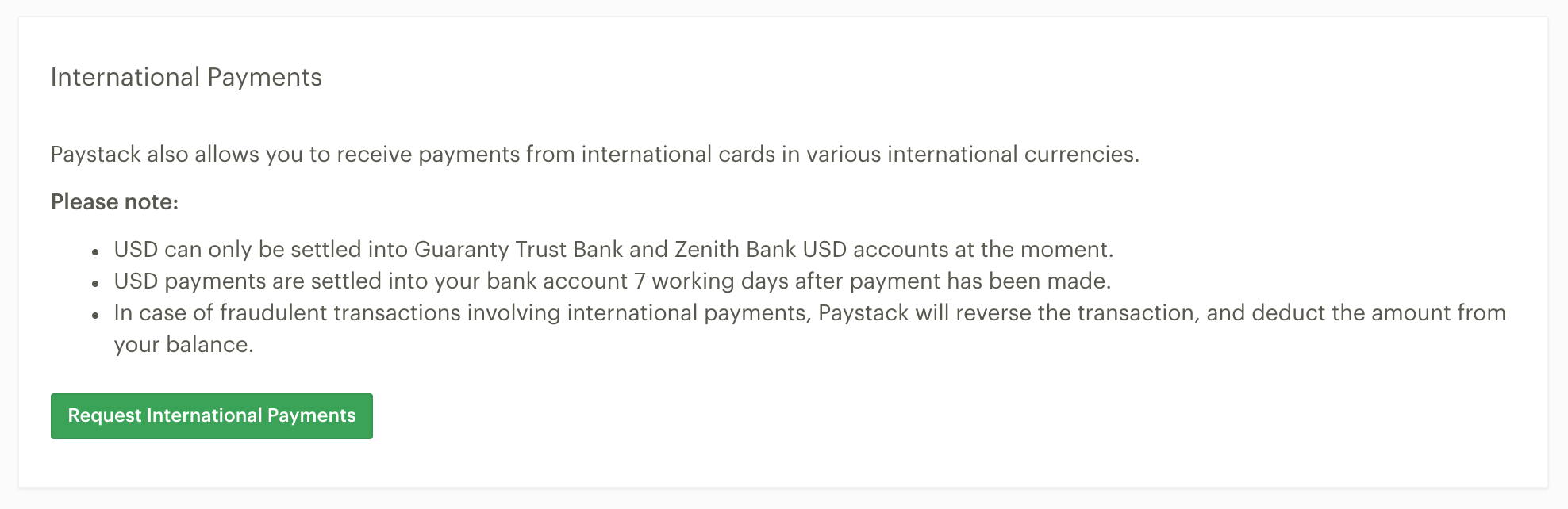
5. Once international payments are enabled for your business, navigate back to the Bank Accounts tab. You'll see a new row for USD bank accounts. Click Add bank account, select Zenith Bank from the dropdown of bank options, and add your USD domiciliary Zenith Bank account number.
If you’d like to change your existing USD payout bank account, navigate to the Bank Account tab and click “Change bank account” on the USD row.
Have any questions?
If you have any question at all about USD settlements in Zenith Bank accounts (or international payments generally) please feel free to send us an email at [email protected] - we’re very happy to help!

